13 · Floor Care

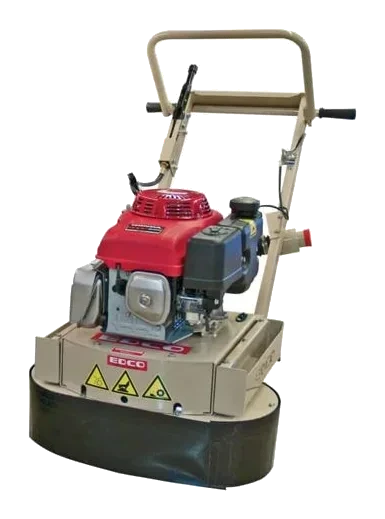
Floor Planer

Also called Scarifier · Floor scarifier · Concrete planer

Rotating cutters that shave down high spots and rough patches to level concrete and wood floors.

Electric (corded)

Selected model

Floor Planer · Electric

Indoor work, no fumes

Overview

A floor planer, or scarifier, carries rows of hardened cutters on a drum that strike the floor as it spins, chipping material off rather than abrading it the way a grinder does. That makes it the aggressive option: it removes more, faster, and leaves a rougher surface behind.

We rent an electric machine for indoor work where fumes are a problem, and petrol machines in 8 in and 10 in cutting widths, the wider one covering more per pass.

Removing high spots and trip edges, stripping thick coatings, glue and line markings, preparing floors for new flooring, and texturing slippery concrete to give it grip.

Lower the cutter drum in small steps and take several passes. One deep pass makes the machine bounce and leaves a wavy floor.

Best uses

  • Removing high spots and trip edges
  • Stripping thick coatings, glue and line markings
  • Preparing floors for new flooring
  • Texturing slippery concrete

Troubleshooting

Machine bounces or vibrates hard

Checks to try, in order

  1. Raise the cutting depth — you're cutting too deep.
  2. Worn or missing cutters cause vibration; check the drum.

Reference draft — always follow the manufacturer’s manual.

Link to this fixDid this solve the problem?
Motor stalls or trips the breaker

Checks to try, in order

  1. Reduce the cutting depth.
  2. Use a heavy-gauge extension cord and a dedicated circuit.

Reference draft — always follow the manufacturer’s manual.

Link to this fixDid this solve the problem?
Tool won't switch onShared · Electric (corded)

Likely causes

  • Tripped GFCI or breaker
  • Lock-off button
  • Damaged cord
  • Dead outlet

Checks to try, in order

  1. Check the outlet works and reset any GFCI / RCD that has tripped.
  2. Release the lock-off button or safety switch before squeezing the trigger.
  3. Inspect the cord and extension lead for cuts, crushed sections or damaged plugs.
  4. If running from a generator, make sure it's running and its breaker hasn't tripped.

A damaged cord or plug means the tool is out of service. Tag it and return it — never tape a cord.

Reference draft — always follow the manufacturer’s manual.

Link to this fixDid this solve the problem?
Keeps tripping the breakerShared · Electric (corded)

Likely causes

  • Circuit overloaded
  • Undersized extension cord
  • Blunt accessory

Checks to try, in order

  1. Plug into a circuit with nothing else heavy running on it.
  2. Use a shorter, heavier extension cord. Long, thin cords starve the motor and trip breakers.
  3. Don't force the tool — a dull bit, blade or disc makes the motor draw more current.

Reference draft — always follow the manufacturer’s manual.

Link to this fixDid this solve the problem?
Overheating, burning smell or heavy sparkingShared · Electric (corded)

Checks to try, in order

  1. Stop and unplug the tool.
  2. Check the motor vents aren't blocked with dust.
  3. Let it cool, fit a sharp accessory and let the tool's weight do the work.

Heavy sparking from the vents or a burning smell that returns points to worn brushes or a failing motor — workshop only.

Reference draft — always follow the manufacturer’s manual.

Link to this fixDid this solve the problem?

Safety

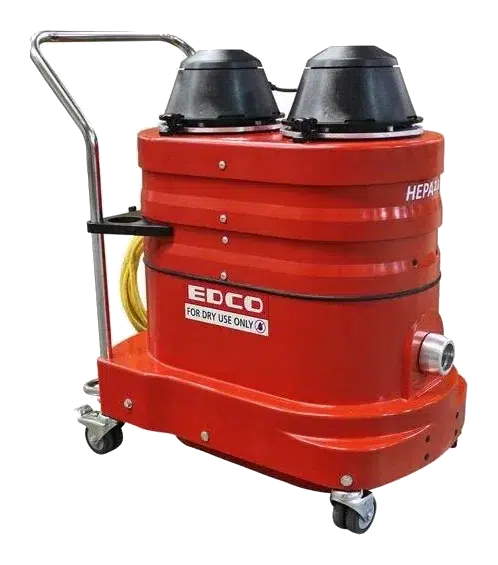
  • Connect a HEPA vacuum and wear a respirator, eye and hearing protection.

For electric (corded)

  • Inspect the cord and plug before every use. Use a GFCI/RCD outdoors or near water.
  • Unplug before changing blades, bits, discs or pads.
  • Wear eye protection, and a dust mask when cutting, grinding or sanding masonry.

Videos & links

Related equipment

All Floor Care →

Always follow the manufacturer’s manual and site safety rules. Favourites and viewing history are stored on this device.