15 · Power Tools
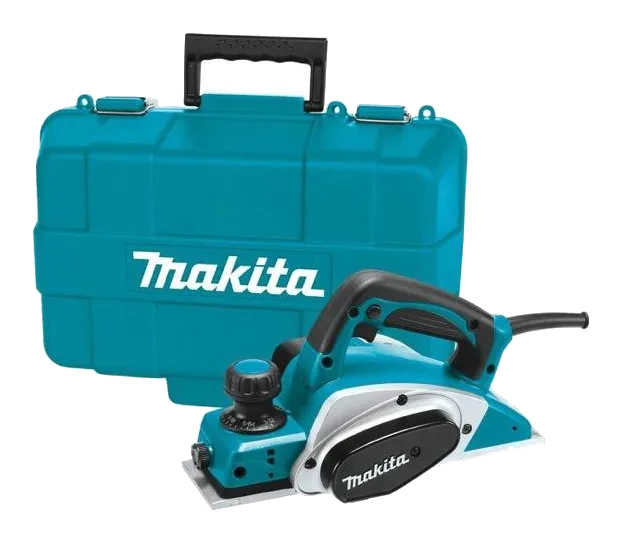
Power Planer
A handheld planer that shaves thin layers off wood to flatten boards, trim doors and chamfer edges.
15 · Power Tools
Also called Wood router · Plunge router · Trim router
A high-speed cutting tool for shaping edges, grooves, dados and moulding profiles in wood.
Electric (corded)A router spins a shaped bit at very high speed to cut a profile into wood: an edge, a groove, a recess or a moulding. The bit decides the shape; the router just drives it.
Decorative edges on tables and shelves, dados and grooves for shelving, hinge and lock recesses, and trimming laminate flush.
Direction matters. Move the router counter-clockwise around the outside edge of a workpiece, so the bit's rotation pulls it into the wood instead of running away along it.
Take several shallow passes rather than one deep cut. A deep cut in one go burns the wood, and it is how bits get broken.
Typical figures for this class of machine. Check the data plate before promising a customer.
Reference draft — always follow the manufacturer’s manual.
A worn collet won't grip — return it.
Reference draft — always follow the manufacturer’s manual.
A damaged cord or plug means the tool is out of service. Tag it and return it — never tape a cord.
Reference draft — always follow the manufacturer’s manual.
Reference draft — always follow the manufacturer’s manual.
Heavy sparking from the vents or a burning smell that returns points to worn brushes or a failing motor — workshop only.
Reference draft — always follow the manufacturer’s manual.
No fixes match this symptom.
15 · Power Tools
A handheld planer that shaves thin layers off wood to flatten boards, trim doors and chamfer edges.
15 · Power Tools
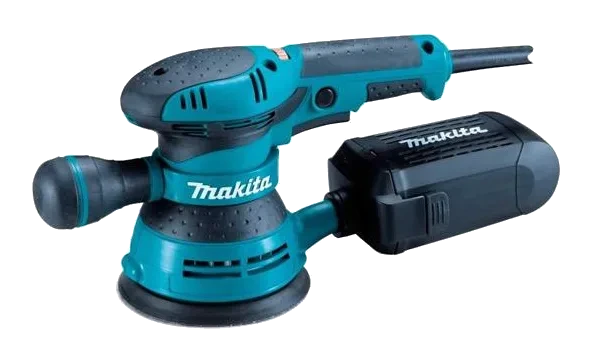
A sander whose circular pad moves in an orbit for an even, swirl-free finish on wood, metal and plastic.
18 · Saws
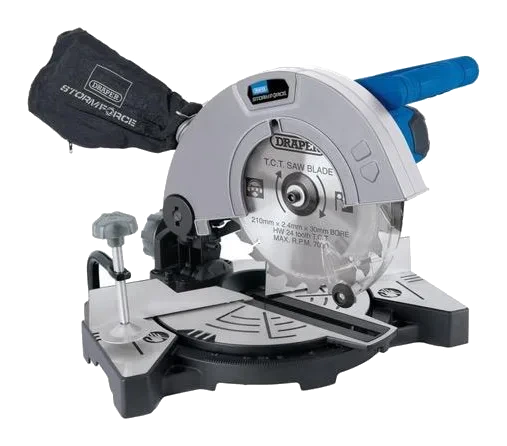
A swing-arm circular saw for fast, precise crosscuts and angled cuts in trim, framing and molding.
Always follow the manufacturer’s manual and site safety rules. Favourites and viewing history are stored on this device.